
30 DAY SATISFACTION GUARANTEE                

FREE SHIPPING OVER $89

Order Before 12pm PST For Same Day Shipping!

bitcoin paypal kratom

Use Paypal to Save 20% off Order

Picture of Cali B

Cali B

Don’t miss out on a 20% discount on your entire order. Not too sure how to send bitcoin? Do you have a PayPal account? Follow these instructions and you’ll be saving in no time.

Here’s how to buy Bitcoin with PayPal:

1. Log in to PayPal and Select Cryptocurrency

You should see the option for cryptocurrency in the top right of the dashboard, next to ‘Send’ and ‘Request’.
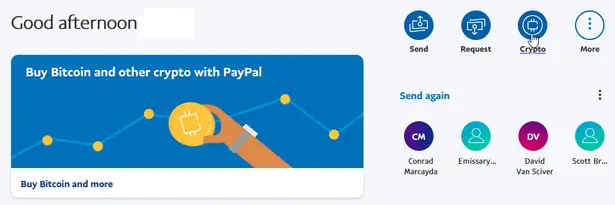
crypto option paypal

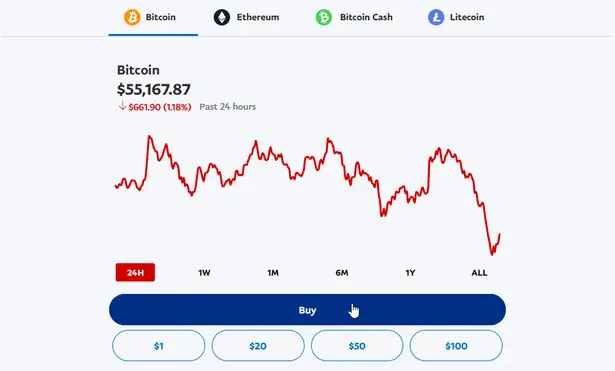
2. Select ‘Bitcoin’

Or choose any of the other coins listed.
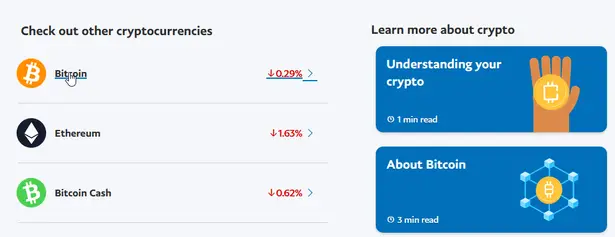
list of coins paypal

3. Select ‘Buy’

crypto buy button paypal

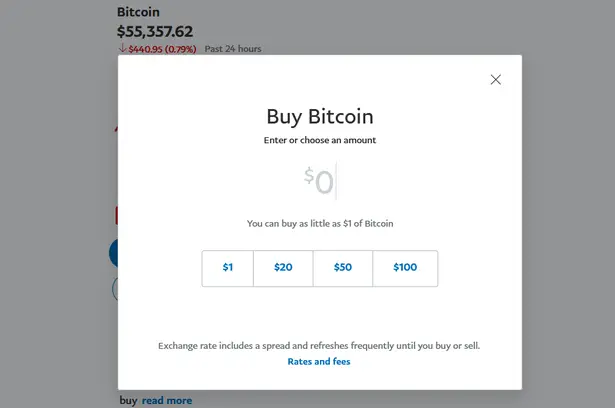
4. Choose How Much You Want to Buy

enter dollar amount paypal

Enter an amount of dollars you want to spend on Bitcoin or choose a pre-set amount below.

5. Select Payment Method

You likely already have your bank account linked to your PayPal account, but you can also hook up another method if you don’t want to use your bank account.
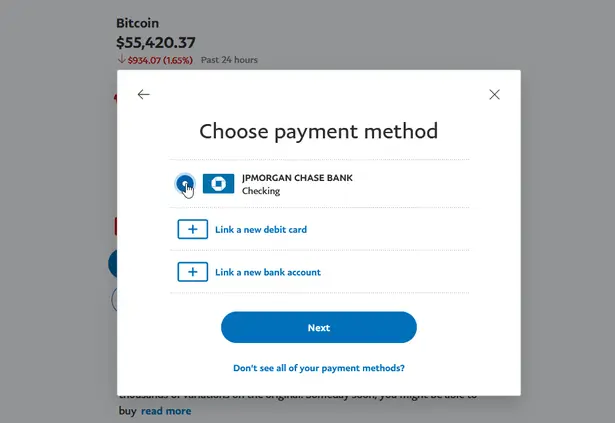
bank account selection paypal

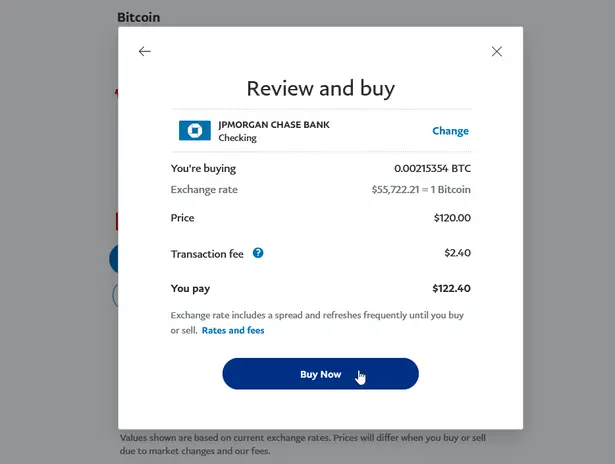
6. Hit the ‘Buy’ button

confirm buy paypal crypto

After finalizing your purchase, you will be taken to a confirmation screen and you should see your coins reflected in your PayPal account dashboard.

Here’s a short video to help.

Sending Bitcoin out of Paypal


Moving crypto to an external wallet or exchange

  1. Once logged into PayPal, enter the crypto section of your application and choose the coin you want to transfer. 
  2. Click or tap the transfers button and select “Send” to transfer crypto to another unique crypto address.
  3. Complete any additional ID verification steps. This process is generally only required once per user.
  4. You’ll need to enter an external crypto address if you want to transfer cryptocurrency out of your account. Copy and paste an address, manually enter it, or scan a QR code by tapping the QR code button to the right of the search box.
    • Please remember: Crypto transfers are final and cannot be reversed. Check the destination address carefully and ensure that the destination address is of the same type (Bitcoin, Ethereum, Bitcoin Cash, or Litecoin) as the coins you are sending. Pay particular attention when sending crypto to unfamiliar addresses.
    • Fees: Sending cryptocurrency outside of PayPal will have a Network Fee, also known as the Blockchain Network Fee. This is not a PayPal Fee. This fee is generated depending on network congestion and other factors and may fluctuate. PayPal will provide an estimate of your network fees on the confirmation screen. Sending or receiving cryptocurrency to other users on PayPal will not incur a network fee. 
  5. Confirm the external transfer.
Please read: All the Crypto assets We Accept and where to send it.

Share this post

Sorry.....

You Must Be 21 or Older To View This Site

Are you over 21 years old?